

One intelligent platform for all your 2D and 3D imaging
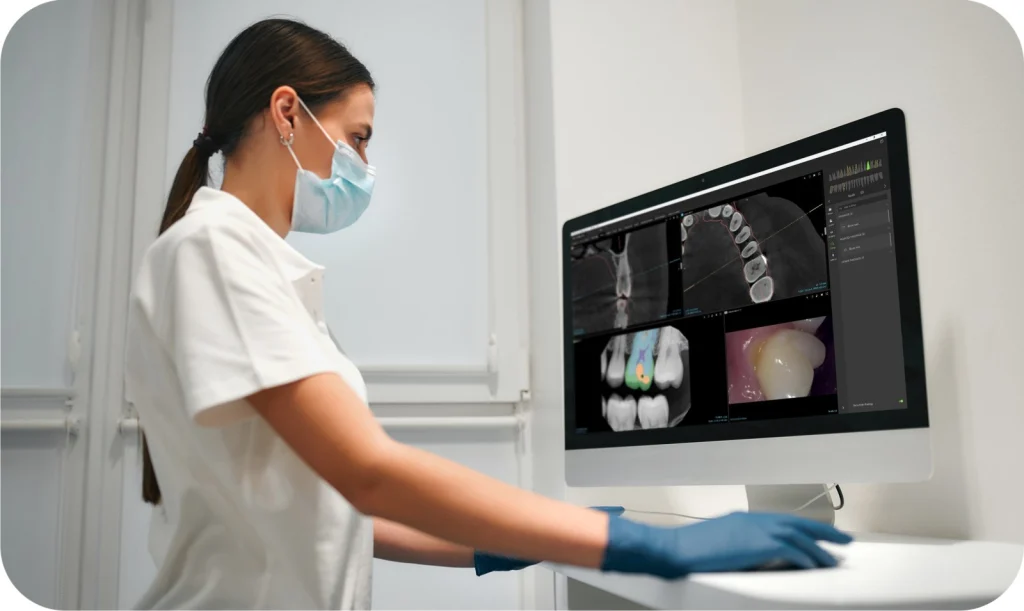
DTX Studio™ Clinic from DEXIS brings all your patient images together in one software, for diagnostics, treatment planning, follow-up and patient communication. AI and automation power every step, so your team spends less time on screens and more time with patients. It plugs into your existing imaging devices and runs on both Windows® PC and Apple Mac®, in every room of your practice.
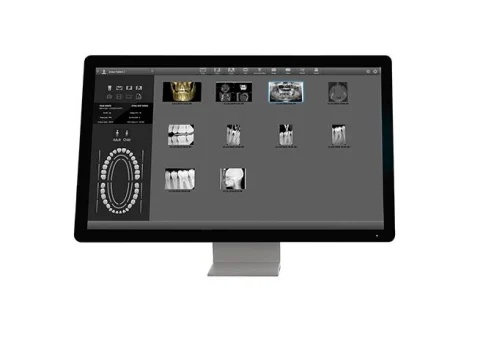
- Store and work with all image types in one place: 2D X-rays, 3D CBCT scans, intraoral scans, photos and face scans
- Simple image acquisition from DEXIS and other supported devices, with open import and export of the most-used dental file formats
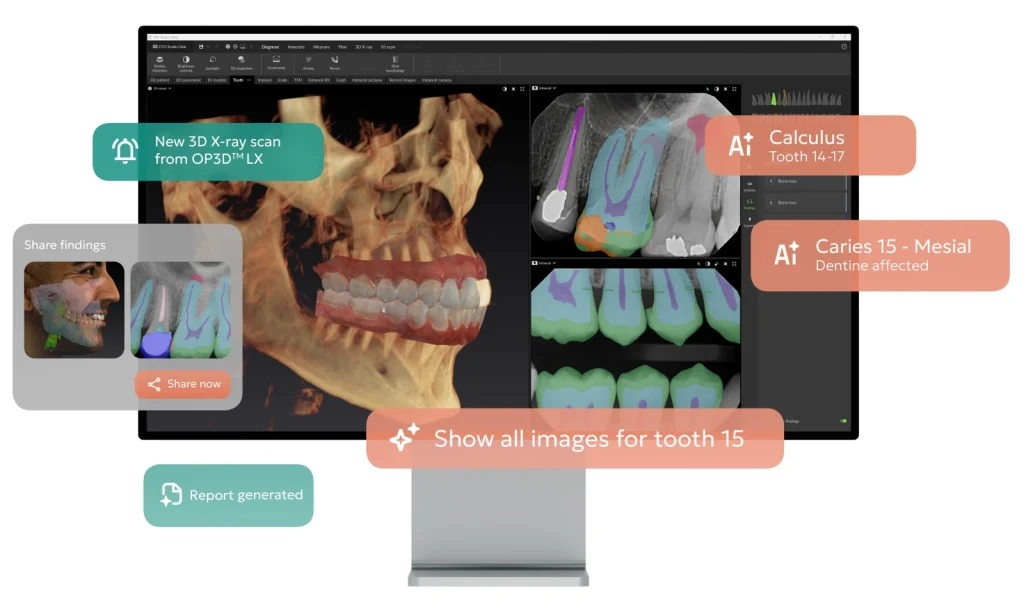
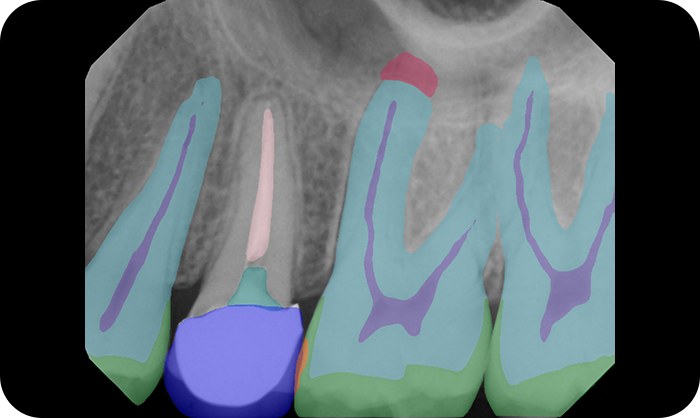
- AI highlights 14+ dental findings on 2D X-rays, including caries, calculus, crowns, bridges and implants, with full-mouth detection in about 5 seconds
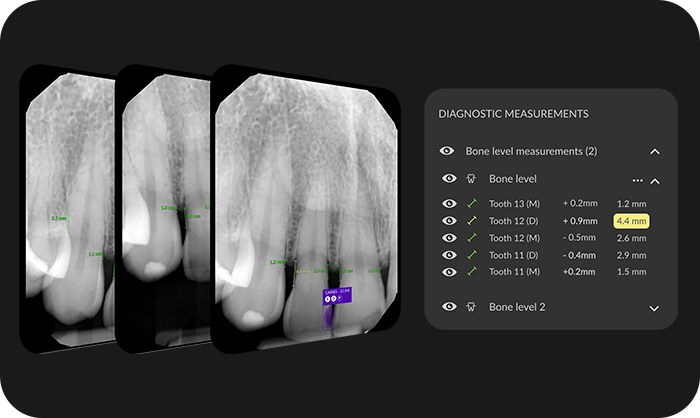
- Click any tooth to see its full 2D and 3D history, and compare exams over time to show changes in bone level and caries
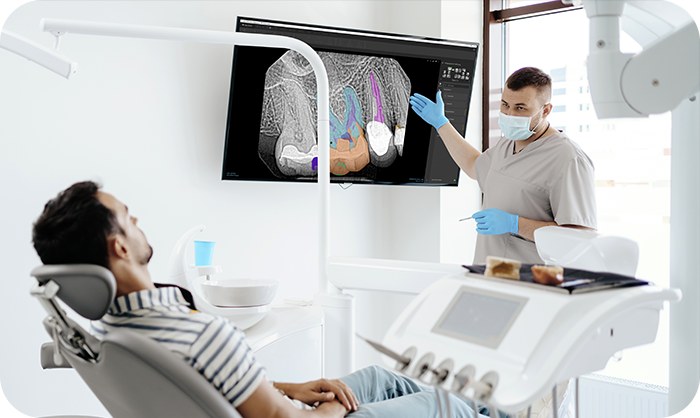
- Clear, visual case presentations that help patients understand their treatment and say yes
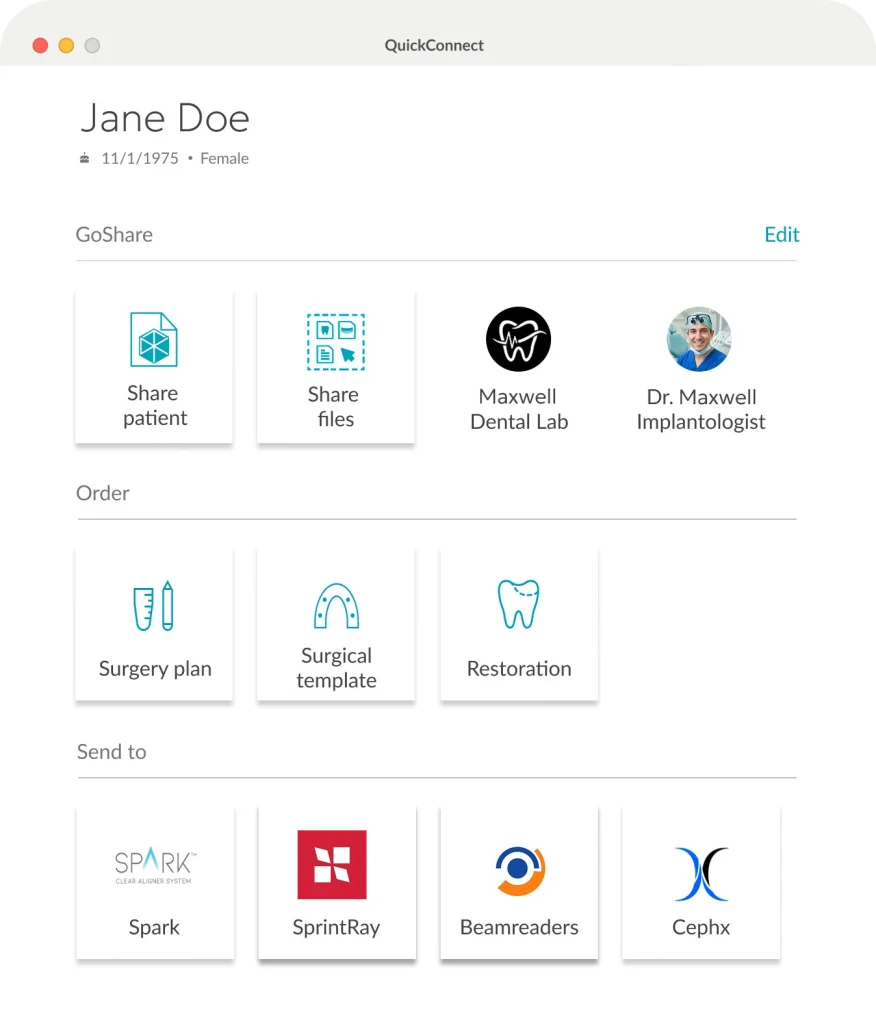
- Secure cloud sharing with your lab, referring dentists and specialists
- Used by more than 145,000 dental professionals worldwide
MagicAssist: skip the set-up, start the diagnosis
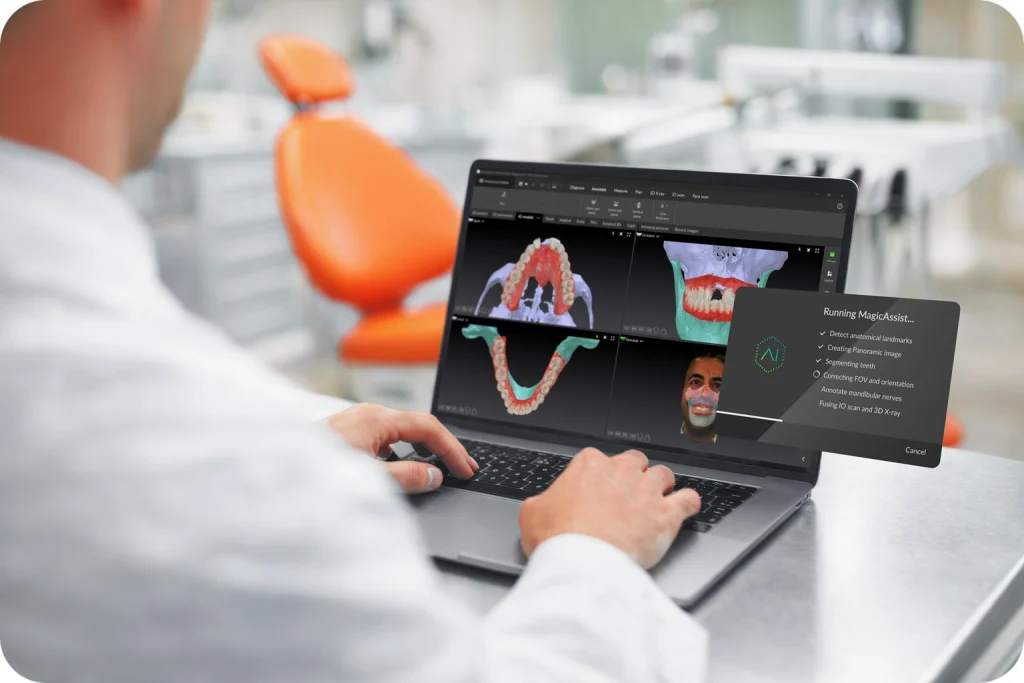
MagicAssist prepares the patient file for you in one click. It automatically:
- Sorts and mounts 2D X-rays into full-mouth (FMX) templates
- Reorients the 3D volume to the ideal viewing angle
- Fuses the CBCT volume with the intraoral scan, creating a 360° digital patient
- Maps the panoramic curve and traces the mandibular nerve canals
- Segments each tooth for instant charting and navigation
- Sets up the views needed for TMJ analysis
Implant and endodontic planning
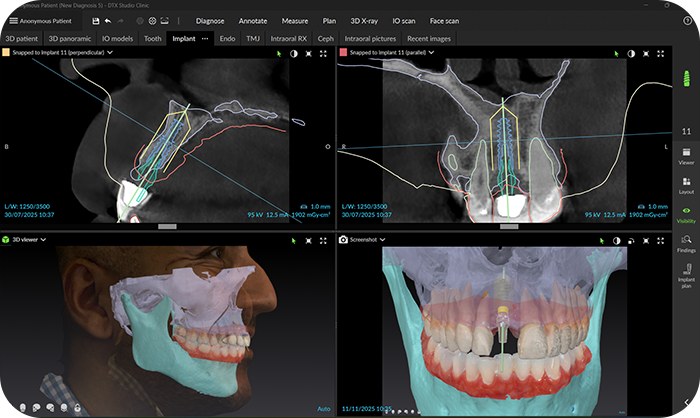
- Plan implants from start to surgical guide in under 3 minutes, choosing from more than 29 implant brand families, sleeves and anchor pins
- Order the surgical template through the software, or print it in-house
- Generate an AI tooth set-up so patients can see the planned result
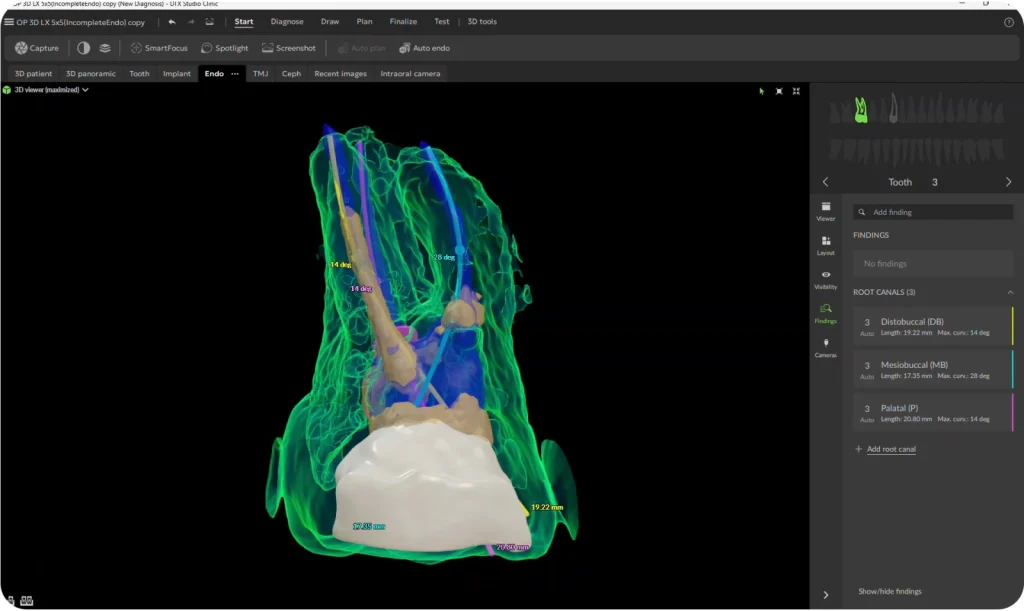
- Endo Module: AI-assisted root canal mapping and 3D visualisation of canal anatomy to assess complexity and plan treatment
Work together, inside and outside the practice
- Every team member can open the same, up-to-date patient images from any supported workstation
- Share images, prescriptions and notes with your lab, and chat with them directly in the software
- Send scan data straight to partner services such as SprintRay, Spark, Circle and SmileFy, with no exporting and re-uploading
- Integrates with practice management software (subject to compatibility)
DTX Studio Core: your practice’s central image library
DTX Studio Core is the server software behind a multi-room DTX Studio Clinic set-up. It stores all your patient images (2D X-rays, 3D CBCT, intraoral scans and photos) in one structured, central database, so every image is available straight away on any workstation in the practice.
- Centralised storage for all DTX Studio Clinic workstations, with up to 40 workstations on one licence
- Needed to use networked imaging devices (Ethernet-connected units and 3Shape TRIOS® scanners), scan requests and radiographic reports
- Installs on your own server or practice computer, and is included with a DTX Studio Clinic licence
- Migration tools are available to bring across images from older imaging systems
Part of the DTX Studio suite
DTX Studio Clinic is the heart of the DTX Studio software suite, which supports every patient visit, from diagnosis to treatment, collaboration and follow-up:
- DTX Studio Clinic: 2D and 3D imaging, diagnostics and treatment planning for the whole team
- DTX Studio Core: central storage of all patient images, for multi-room access
- DTX Studio Implant: plan implants for the major implant systems around the patient’s anatomy and prosthetic needs, then place them with a surgical template or 3D-navigated surgery
- DTX Studio Lab: lab software that accepts data from the main intraoral and desktop scanners, for in-house production or industrial manufacturing
- DTX Studio Go: a free online service to manage licences and users, and share data with connected partners
Licence options
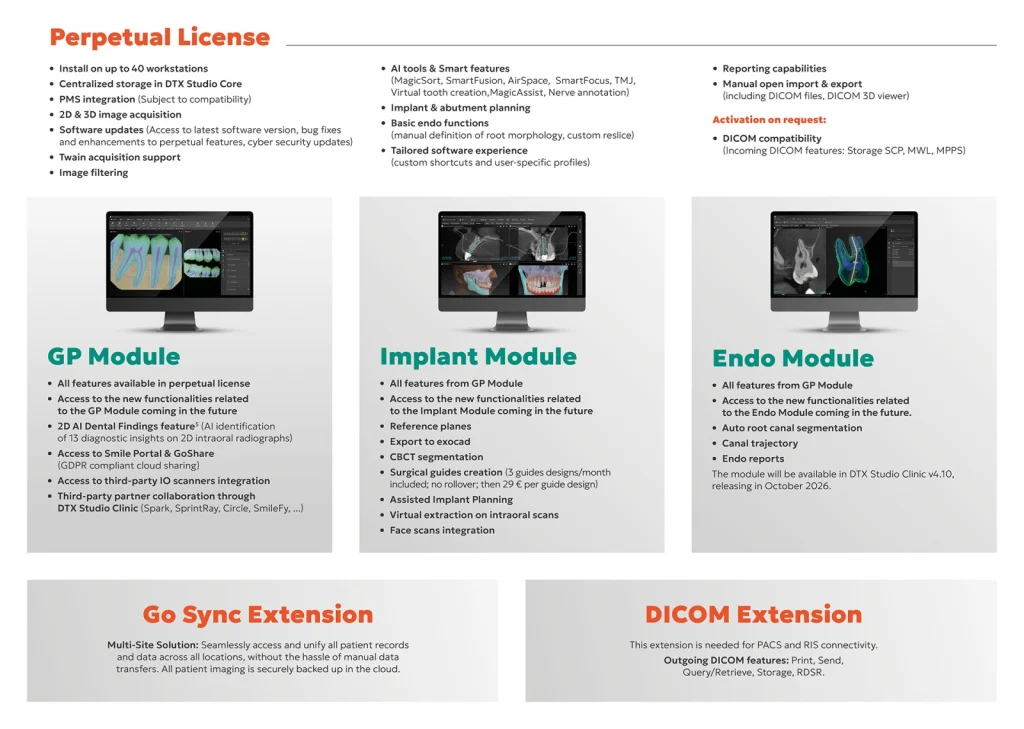
Perpetual licence, including:
- Installation on up to 40 workstations, with centralised storage in DTX Studio Core
- 2D and 3D image acquisition, TWAIN acquisition support and image filtering
- Implant and abutment planning, and basic endo functions
- Reporting, open import and export (including DICOM files and a DICOM 3D viewer), and custom shortcuts and user profiles
Included for the first year, then with a subscription licence:
- AI tools and smart features: MagicSort, SmartFusion, AirSpace, SmartFocus, TMJ, virtual tooth creation, MagicAssist and nerve annotation
- Software updates, bug fixes and cyber security updates
Subscription modules add the newest features as they’re released:
- GP Module: 2D AI Dental Findings, Smile Portal and GoShare cloud sharing, third-party intraoral scanner integration and partner collaboration
- Implant Module: everything in GP, plus CBCT segmentation, surgical guide creation, Assisted Implant Planning, export to exocad, virtual extraction and face scan integration
- Endo Module: everything in GP, plus automatic root canal segmentation, canal trajectory and endo reports
Extensions: Go Sync, for access to the same patient records across several practice locations with secure cloud backup; and DICOM, for connection to PACS and RIS systems.
Feature availability varies by region. Please contact us to discuss the right set-up for your practice.